
Reference

88fd8 App — Your Lobby on Any Screen

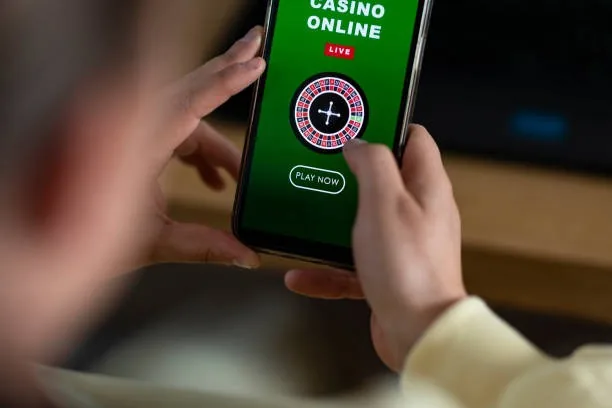
88fd8 runs cleanly in your mobile browser — no install required to reach slots like Crash Burst or live tables from Evolution.

Mobile browser readyAccount access on any deviceCheck availability in your regionReturning-user quick loginNo forced app download
88fd8 88fd8 App — Your Lobby on Any Screen
88fd8 Inside the 88fd8 Mobile Experience

Inside the 88fd8 Mobile Experience

The mobile build of 88fd8 keeps everything in one tap-friendly screen — your betslip, wallet balance and live casino feed sit side by side without constant page reloads. Push notifications can alert you when a game round is about to close or when a deposit from JazzCash clears your account wallet. Fingerprint login means returning users skip the password screen entirely. Slots

like Slot Flight and Aviator load at full quality, and the cricket sportsbook — where PSL markets sit — stays accessible from the same navigation bar. Your session carries across devices, so starting on mobile and switching to desktop keeps your lobby state intact.

APP FEATURE SNAPSHOT

Four Things the Mobile Build Gets Right

Speed and continuity are what the 88fd8 mobile interface is built around. Each feature below reflects how the interface behaves for returning users on current Android and iOS browsers — no third-party app store needed.

Fingerprint Login Returning users can authenticate with a fingerprint instead of retyping credentials. Your session resumes at the last lobby screen you had open.
Push Notifications Enable alerts so your browser pings you when a JazzCash or Easypaisa deposit confirms, or when a live table round is about to begin.
Dark Mode Display The interface respects your device's dark mode setting automatically. Easier on the eyes during late-night sessions without adjusting any account preference.
Lobby Preview While Offline The game grid caches your last lobby view, so you can browse tile names and categories even before your connection fully reconnects.
DEVICE COMPATIBILITY CHECK

Which Devices and Browsers Work with 88fd8

The 88fd8 mobile interface is designed around current-generation browsers. Before you log in for the first time, run through the checklist below to confirm your device will handle the lobby without display issues. RTP data for individual games like Gates of Olympus or Mahjong Ways is shown only where the provider — Pragmatic Play, PG Soft or Evolution — exposes it directly in the game interface.

88fd8 Browser Version

Browser Version

Chrome 110 and above or Safari on current iOS both handle the full lobby. Older browser builds may show layout shifts on live table pages.

88fd8 Screen Layout

Screen Layout

Portrait and landscape orientations are both supported. The navigation bar repositions automatically — no manual rotation needed between slots and the sportsbook.

88fd8 Account Requirements

Account Requirements

You need a verified account with a linked local payment method — JazzCash, Easypaisa or Raast — before the deposit and withdrawal flows unlock on mobile.

88fd8 Mobile Access in 3 Steps

Mobile Access in 3 Steps

Getting into the 88fd8 lobby from a mobile device is a browser-first process — there is no APK to sideload and no app store listing required right now. Open your preferred mobile browser, navigate to 88fd8, and check that the address loads securely over HTTPS. If you are a returning user, fingerprint or saved credentials get you past the login screen in

seconds. New accounts complete a short registration form — name, contact number and wallet details for JazzCash, Easypaisa or Raast. Once inside, use the 'Add to Home Screen' option in your browser menu to pin the site as a shortcut icon, which behaves like an app launch without a native install. Access depends on local law and eligible regions.

  • Open the Site — Navigate to 88fd8 in Chrome or Safari on your phone — confirm the HTTPS padlock is present before entering any account details.
  • Sign In or Register — Returning users tap the login button and authenticate via fingerprint or PIN. New accounts fill a short form and link a JazzCash, Easypaisa or Raast wallet.
  • Pin to Home Screen — Use your browser's 'Add to Home Screen' option to create a shortcut that opens the lobby directly, skipping the address bar every time.
  • Check Notification Settings — Allow browser notifications so you get an alert when your deposit clears or a live table event you follow is about to start.

88fd8 App — Frequently Asked Questions

The questions below cover what people ask most about reaching and using 88fd8 on a mobile device. If something is not covered here, the support channel inside your account can take the query directly.

At this time, 88fd8 operates as a mobile browser experience rather than a listed app. Use your browser to access the full lobby without any download required.

Enable fingerprint login from your account security settings. After that, the login screen reads your biometric and drops you straight into the lobby without a password.

Yes. The wallet screen inside your account shows JazzCash and Easypaisa as deposit options. Confirm the transfer in your wallet app and the balance updates in your 88fd8 account.

Your account session is tied to your login, not the device. Log in on a second screen and the lobby picks up from the same state — your wallet balance and open bets carry across.

The Evolution live client drops to a lower stream quality automatically on a weak connection. If the freeze persists, refresh the browser tab — your active bet and balance are held server-side.

Access depends on local law and the eligible regions currently supported. Check the site directly from your device to confirm availability in your area.
Reference

88fd8 App

Service availability depends on eligible regions and local law. Users should check local rules before opening an account.

Access may be available only where local law permits.